IP Telephony in CRM: Which Phone Providers Integrate with Kommo
Contents

What IP Telephony Integration in CRM Delivers
Combining IP telephony with a CRM system creates a unified workspace for managing client communications worldwide. This integration provides:
- Automatic logging of all inbound and outbound calls in the client card
- The ability to make calls directly from the CRM interface with one click
- Caller identification before picking up the phone
- Automatic task and deal creation based on call outcomes
- Detailed statistics and analytics across all phone communications
- Call recording linked to the client card
- Call routing based on CRM data
Kommo CRM offers extensive capabilities for integrating various IP telephony services. Core functionality includes:
- A unified interface for managing calls
- Automatic contact creation on incoming calls
- Full communication history in the client card
- Configurable call handling scenarios
- Detailed analytics on manager performance
- A flexible call distribution system across team members
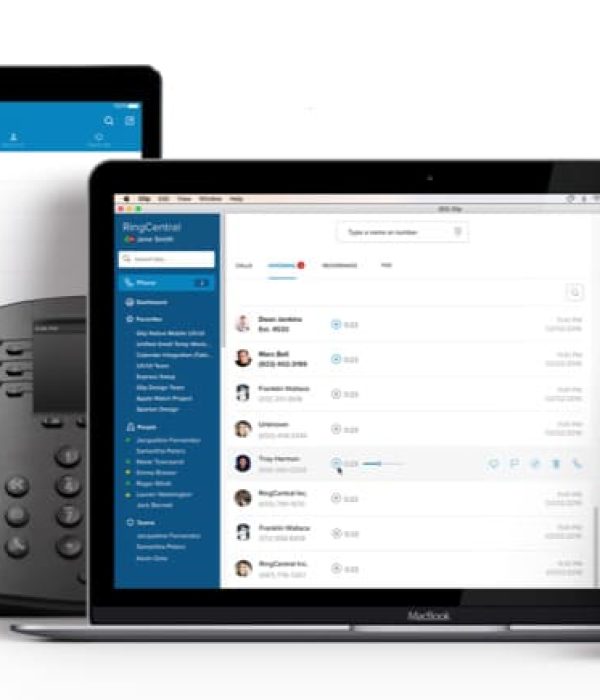
Kommo Integration with RingCentral
RingCentral is one of the leading IP telephony providers with extensive integration capabilities.
Integration features:
- Quick setup without requiring technical specialists
- Automatic contact synchronization
- Built-in softphone inside the CRM interface
- Smart call routing based on CRM data
- Detailed statistics and call recording
- Mobile app support
- Global coverage with local numbers in multiple countries
Connection process:
- Create a RingCentral account
- Configure the integration in the Kommo CRM dashboard
- Install the telephony widget
- Set up call distribution rules
- Test the integration
Integration with Vonage
Vonage provides enterprise communication solutions with powerful APIs and broad integration capabilities.
Key advantages:
- Unified communications platform
- Global network coverage
- Flexible pricing for different call volumes
- 24/7 technical support
- Number portability
- Advanced analytics and reporting
Integration steps:
- Create a Vonage business account
- Configure the virtual PBX
- Connect the integration in Kommo CRM
- Set up call handling scenarios
- Train staff on the new functionality
Kommo and Twilio Integration
Twilio offers powerful programmable voice solutions with Kommo CRM integration capabilities.
Key capabilities:
- Global reach with local presence
- Extended API capabilities
- Scalable infrastructure
- Configurable integration options
- Real-time analytics
- Compliance with international standards
Implementation steps:
-
Set up a Twilio account
-
Configure the API
-
Set up the integration in Kommo CRM
-
Testing and optimization
-
Monitoring and scaling.
Read the case study on Twilio integration with Kommo CRM

Discuss IP telephony implementation
Kommo Integration with 8x8
8×8 is a leading provider of integrated cloud communications and contact center solutions.
Solution advantages:
- Simple setup without specialized technical knowledge
- Multi-channel communication support
- Competitive international call rates
- Built-in browser softphone
- High-quality mobile connectivity via app
- Detailed statistics and analytics
- Enterprise-grade security
Connection process:
- Register with 8×8
- Obtain integration credentials
- Configure the connection in Kommo CRM
- Install required widgets
- Test functionality
Kommo and Zadarma Integration
Zadarma is one of the most popular IP telephony providers in Europe, offering extensive Kommo CRM integration capabilities and competitive rates for international calls.
Key advantages of IP telephony integration in CRM:
- Fast connection via the built-in integration module
- Support for over 100 countries with local numbers
- Multi-channel telephony with a unified interface
- Automatic logging of all communications in the CRM
- Built-in WebPhone for browser-based calling
- Full-featured mobile app
- Competitive international call rates
- API for advanced integration customization
Integration capabilities:
- Call management
- Routing
- Analytics and monitoring
- Detailed statistics on all calls
- Manager performance evaluation
- Service quality monitoring
- Missed call reports
- Line load analysis
Connection process:
- Register with Zadarma
- Create an account
- Choose a pricing plan
- Connect required numbers
- Configure the integration in Kommo CRM
- Activate the integration module
- Enter Zadarma credentials
- Configure basic parameters
- Set up additional features
- Configure distribution scenarios
- Create routing rules
- Set up call recording parameters
- Connect WebPhone
- Testing and optimization
- Verify core functions
- Test calls
- Configure reporting
- Train staff
Usage specifics:
- Telephony
- HD audio quality support
- Secure communication channels
- Automatic number identification
- Blacklist for unwanted numbers
- CRM integration
- Contact synchronization
- Automatic deal creation
- Linking calls to existing tasks
- Tag and field configuration for calls
- Additional capabilities
- SMS notifications
- Internet fax
- Conference calls
- Calendar integration
- Voicemail with flexible settings
Pricing:
- Standard features included in the Zadarma plan
- Pay only for usage
- Call recording: from €0.01/minute
- Additional numbers: from €5/month
- API access: included in business plans
Call rates:
- Internal calls: free
- International calls: from €0.01/minute
- Incoming calls to local numbers: from €0.01/minute

Discuss IP telephony implementation
Call Automation and Routing Scenarios
IP telephony integration with Kommo CRM enables complex call handling scenarios that increase company efficiency.
Smart Inbound Call Routing
- Routing to assigned managers
- Automatic call forwarding to the manager assigned to the client
- Using client interaction history when selecting an operator
- Routing by manager competencies
- Geographic routing
- Redirecting calls based on time zones
- Routing to regional offices
- Accounting for client language preferences
- Client prioritization
- VIP routing for key clients
- Special scenarios for different client categories
- Accounting for deal status and stage
Process Automation
- Pre-qualification
- IVR voice menu integrated with CRM data
- Automatic collection of basic information
- Routing to departments based on the request
- Automatic actions
- Creating new contacts and companies
- Logging call outcomes
- Automatic task and reminder creation
- Updating deal statuses
- Notifications and alerts
- Instant manager notifications for missed calls
- Automatic SMS reminders for clients
- Manager notifications for important events
- Integration with business processes
- Automatic workflow triggers after a call
- Document creation based on conversation
- Integration with calendar scheduling systems
Outbound Call Scenarios
- Outbound call automation
- Building call lists based on CRM filters
- Automatic dialing of the next number
- Tracking campaign performance
- Smart scripts
- Dynamic call scripts based on CRM data
- Manager prompts during the call
- Automatic outcome logging
Practical Implementation Recommendations
IP telephony in CRM — key considerations:
- Analyze business needs in advance and select the optimal telephony service
- Run a pilot test with a small group of employees
- Develop user instructions
- Organize staff training
- Set up a reporting and quality control system
Data Security and Compliance
For businesses operating in European and American markets, regulatory compliance is critical:
- GDPR compliance for operations in Europe
- HIPAA compliance for healthcare communications
- PCI DSS compliance for payment processing
- Data encryption and secure call recording storage
- Regular security audits and updates
Integration Cost and Pricing Plans
IP telephony in CRM: base integration cost
- Starter package: €500–1,000
- Basic integration setup
- Connection of one telephony provider
- Basic routing scenarios
- Administrator training
- Business package: €1,000–2,000
- Extended integration setup
- Connection of multiple providers
- Complex routing scenario configuration
- Full team training
- Basic process automation
- Enterprise package: from €2,500
- Full customization to client requirements
- Integration with multiple systems
- Custom scenario development
- Advanced automation
- Dedicated project manager
Monthly costs
- IP telephony provider fees
- RingCentral: from €20/user
- Vonage: from €15/user
- 8×8: from €25/user
- Twilio: pay-as-you-go
- Additional services
- Technical support: from €100/month
- Monitoring and optimization: from €200/month
- New scenario development: from €150/hour
Factors affecting cost
- Number of system users
- Complexity of required routing scenarios
- Call volume
- Need for integration with other systems
- Reporting and analytics requirements
- Company geographic footprint