Step-by-step guide to integrating Kommo and PandaDoc
Integrating Kommo with PandaDoc is an excellent way to streamline your business processes and make document management more efficient. If you already use Kommo (formerly amoCRM) to manage clients and sales, and PandaDoc to create and send documents, combining these two tools can significantly simplify your work. Let’s go through the setup step by step.
First, make sure you have active accounts in both Kommo and PandaDoc. If you haven’t registered for these services yet, don’t worry — the sign-up process is straightforward and takes only a few minutes. Once your accounts are set up, the next step is navigating to the integration settings. In Kommo, go to “Settings” and find the “Integrations” tab. You’ll see a list of available integrations, including PandaDoc.
Once you’ve located PandaDoc in the integrations list, click on it. You’ll be prompted to authorize your PandaDoc account. This is an important step because it allows Kommo to access your documents and templates. After successful authorization, you can configure the integration parameters — for example, which data from Kommo should be passed to PandaDoc. This could include client information, deal details, or tasks you want to track.
After configuring the integration settings, be sure to save your changes. You’ll then be able to start using the integration immediately. When you create a new deal in Kommo, you’ll have the option to automatically generate documents in PandaDoc. This speeds up the process considerably since there’s no need to manually enter data into each document — all relevant information is pulled automatically from your CRM.
The integration also lets you track document status directly from Kommo. You can see whether documents have been opened, signed, or declined, helping you manage the sales process more effectively. This is particularly useful when you have many clients and deals, allowing you to focus attention where it’s needed most.
It’s worth emphasizing that the Kommo–PandaDoc integration isn’t just about convenience — it’s also an opportunity to improve client relationships. By automating routine tasks, you can spend more time engaging with clients and less time on administrative work. This can lead to higher sales and improved overall service quality.
Business benefits of the Kommo and PandaDoc integration
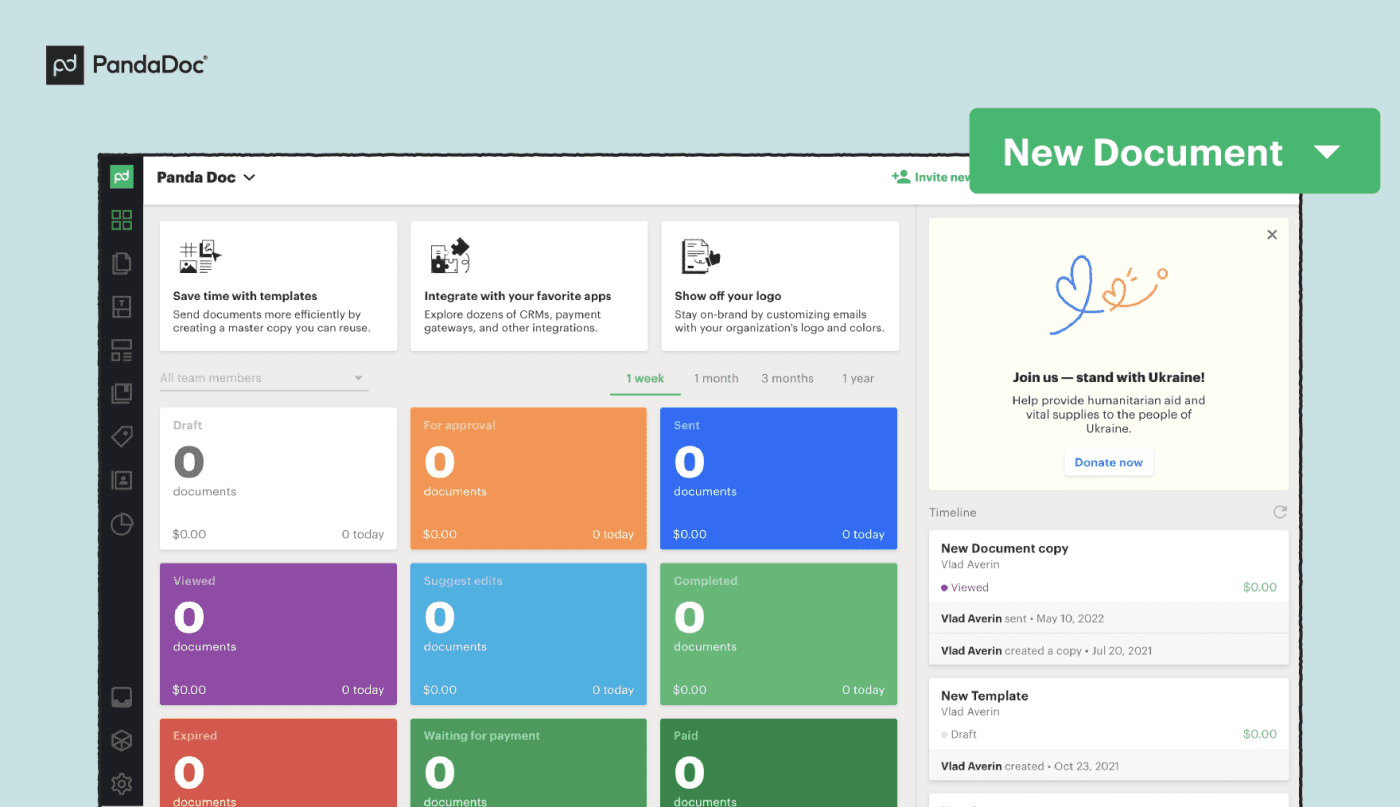
The Kommo–PandaDoc integration automates document creation and delivery. You no longer need to spend time filling in templates manually or hunting for the right files. Instead, you can focus on higher-value activities like client engagement and business development. Automation not only saves time but also reduces the likelihood of errors — a clear and significant advantage.
The integration also enables smoother data exchange between the two platforms. When you create a document in PandaDoc, all relevant client information is automatically pulled from Kommo. This eliminates data duplication and ensures that all information is accurate and up to date. You can be confident your clients are always receiving the most current and correct proposals.
Document tracking is another key benefit. With the integration you can see when a client opened a document, how long they spent on each page, and which sections drew their attention. This information is invaluable for follow-up conversations. If you notice a client lingered on a particular clause, you can address that point proactively — which increases the likelihood of a successful deal close.
The integration also improves team collaboration. All members of your team can see current document statuses and receive notifications about important changes. This eliminates misunderstandings and ensures smoother coordination. Your team works as a unified unit, which positively impacts results.
It’s also worth noting that using this integration can meaningfully raise the professional image of your business. Clients appreciate when companies use modern technology to simplify interactions. Sending well-designed documents created in PandaDoc leaves a positive impression and builds trust — which ultimately translates into more deals and higher revenue.
Frequently asked questions about the Kommo and PandaDoc integration
A commonly asked first question is why the integration is needed in the first place. The answer is straightforward: it allows you to automatically transfer data between Kommo and PandaDoc, saving significant time. You can create and send documents directly from Kommo without leaving the system. This not only simplifies the process but also reduces the risk of errors from manual data entry.
Another frequent question is how to set up the integration. The process is simple and intuitive. Go to your Kommo settings, find the integrations section, and select PandaDoc. You’ll then be prompted to enter your PandaDoc credentials. Once entered, the two systems will connect, and you can begin taking advantage of all the integration’s capabilities. Be sure to verify that all data is synchronizing correctly to avoid any surprises.
Users also frequently ask what features become available after integration. In addition to sending documents, you can track their status — for example, you’ll see when a client opens a document and receive a notification when it’s signed. This keeps you informed at every stage of the client engagement and allows you to respond promptly to their actions.
Data security is another common concern. Both services use modern encryption and data protection methods to ensure a high level of security. You can be confident that your documents and client information are in safe hands.
Support is also readily available. If you run into difficulties with the integration or its features, both Kommo and PandaDoc offer extensive knowledge bases and ready solutions for the most common issues — so you’re never left without answers.
Finally, many users wonder how the integration will affect their existing workflows. In most cases, you’ll notice a significant improvement in speed and quality of work. Automating routine tasks frees you to focus on more important aspects of the business, such as client engagement and developing new strategies — leading to higher sales and a better client experience.
Success stories: Kommo and PandaDoc in practice
Consider how much easier deal management becomes when all the tools you need are at your fingertips. Here are a few real-world examples that illustrate how this integration can transform a business.
The first example involves a small software sales company. Their team was spending significant time creating and sending commercial proposals. Each document had to be put together manually, which was not only time-consuming but also increased the risk of errors. After integrating Kommo with PandaDoc, the process became far simpler. Employees could create document templates directly in PandaDoc and send them to clients without leaving the Kommo interface. This not only accelerated the process but also improved proposal accuracy — which in turn increased deal conversion rates.
Another case involves a real estate agency using Kommo to manage clients. They faced difficulties when formalizing rental and purchase agreements: every time a client made a decision, agents had to gather all the necessary documents from scratch. The PandaDoc integration allowed them to create standard forms that could be quickly populated and sent to clients. The deal formalization process became more transparent and efficient, significantly improving client satisfaction.
A consulting firm had a similar experience. They used Kommo to track client interactions, but report and proposal preparation remained labor-intensive. The PandaDoc integration automated report generation, saving considerable time. The team could now focus on data analysis and strategy development rather than administrative tasks. Productivity improved and service quality rose.
Document tracking also proved valuable for a service company. By being able to see when a client had opened and read a document, their team could prepare for conversations in advance and address likely questions proactively — leading to faster deal closures.
The Kommo–PandaDoc integration doesn’t just simplify processes; it opens up new possibilities for the business. It allows companies to focus on what truly matters: client engagement and growth. If you haven’t yet implemented this integration, now may be the right time to take that step and see the difference it can make.